
Updates must be installed by Positrak Support.
What’s new in Positrak Pro 2070
- Purchase Orders
a. Optimized the search for barcodes on a PO and the edit/save process.
b. Changed the scan process to fill subsequent line items if the scanned number is on the PO more than once, rather than just incrementing the first instance.
c. Added Transaction Log to right click menu on Edit and Create PO screens.
d. Added Vendor filter to the PO list in the PO Menu.
e. When using “WD Order” from Point of Sale, added ability to add current account to the PO notes field.
f. Added “Other Tools” split button in Edit PO where you can export overages on a PO to XLSX.
g. Added print/email options for Purchase Order format.
h. Added original PO type to store on purchase orders. Displays in the PO screen under details when a PO is selected.
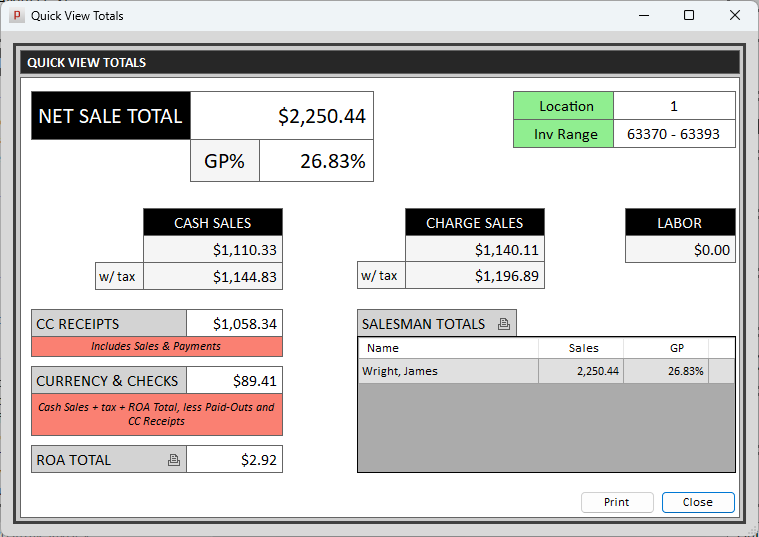
- Added “Quick View” for daily totals from main menu, using “Quick Jump” key Q. “Q” will show the current location. Use “Qx” to view others, or “QA” to view all combined.
- Added behavior in AR Screen – if an account is selected, the Transactions button opens Review Charge Transactions as normal. If no account is selected, it opens the transaction log instead.
- Added connectivity to Emery Jensen Hardware – Purchase Orders, Maintenance file processing, ASN posting, pack-slip post.
- Added Part Note to inventory report generator.
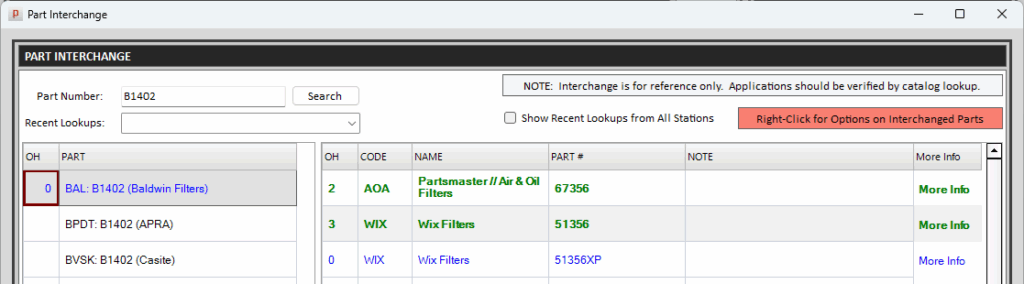
- Added “smart page” link to the Interchange results for images, specifications, etc.
- Added “Location Name” to the “Check Other Locations” form for multi-store systems.
- New User Preferences
a. Added “sort method” to inventory preferences (for multiple parts found selector pop-up).
b. Added user preference for prompt to print hold ticket Y/N after saving.
c. Added User Preference to attribute voided invoices to the original counterman, or to the one who voided it. Default behavior is to the original counterman.
d. Added User Preference for having a final employee confirmation before finalizing invoice.
e. Added default “List Factor” when adding new accounts. - Added “Tender Note” to Review Payment History screen.
- Added thermal receipt option for incoming B2B orders in the Listener.
- Added “Email” checkbox to Invoice Confirmation, following the account setting and allowing override if desired.
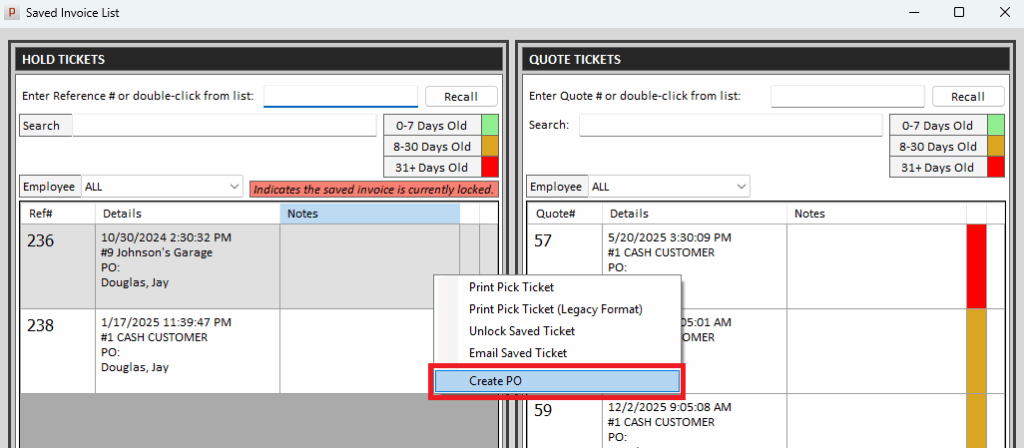
- Added ability to Right Click > Create PO from a hold or quote ticket.
- Added Account Sales Analysis to reports that are available to email from the automatic End of Month.
- Added “include stock orders” option to the Daily Special Order Report, allowing a report of all outstanding POs created for the day.
- Added “open now” option when you export Purchase Order History.
- Added closeout date to Salesman Report.
- Added Print Statements option to the AR screen (Additional Options Menu).
- Added content to the View Today’s Invoice Register screen in the End of Day menu, and custom invoice range option.
- Added Excel export to the Account Sales Comparison report.
- Added support for Epicor’s Listing Expert for eBay sales.
- Added service charge report archive to the database for easy retrieval/reprinting.
- Added closeout date to the Monthly Tax Report.
- Added Tag Item support to the “Kit Builder” form.
- Added notation to Customer Purchase Report indicating it’s YTD – since last yearly close through the selected month. Also added date range option.
- Added a warning when doing a manual month end if it’s end of qtr/yr and only day/month close is selected.
- Added an indicator in the catalog results beside “Warehouse Availability” to show if the part# is a warehouse stocking item (participating warehouses only).

- Excluded “transfer” invoices from Daily Cash Transactions report and Payment Report.
- Fixed Part Sales Analysis – By Line report to be location-specific. It previously combined all locations.
- For multi-store configurations, set the default location to the current location when printing statements.
- Fixed the create Warehouse Returns form to use the default supplier.
- Normalized sound effects across the system for barcode scanning. Added a separate tone for “multiple parts found” prompt.
- Optimized PO Import feature.
- Optimized Labels Report, improved Intermec label design.
- Made the invoice surcharge feature utilize the always taxable/never taxable flag on the part record.
- Deprecated the old “WD Order” feature to transmit orders. Stock check orders are the preferred method for “must-have” orders.
- Optimized Line Sales Analysis Report and added date range option.
- Optimized Account Sales Analysis Report and added date range option.
- Optimized Parts Distribution and GMROI Reports.
- Improved ASN posting and processing Manufacturer Maintenance files from hardware vendors.
- Purchase Orders
a. Fixed issue with multi-locations that showed parts on order for all locations. Made it location-specific.
b. Fixed multi-store issue with auto-selecting the correct vendor when adding to POs from a stock check order. - Fixed issue with Transaction search showing duplicate records on split payments.
- Fixed issue that wouldn’t reprint invoice to the cash printer when “adding signature to invoice” and using the “force all tickets to cash printer” option.
- Fixed issue with tax handling with the “Inquire” option on accounts.
- Fixed return validation in Point of Sale to use original tax status for the return.
- Fixed issue with processing Orgill maintenance files.
- Fixed issue with supersede part procedure regarding quarterly history.
- Fixed Manual Sale form to allow buyouts (qty + B).